
Dynamics 365 and Dataverse
A rules engine made for Dynamics 365 and Dataverse
When the logic outgrows a form rule, give it a proper home. Condexa is a rules engine for Dynamics 365 that reads your live Dataverse tables and answers Power Automate, Power Apps and plug-ins in milliseconds.
Incoming request
evaluatingDoes this Dynamics 365 opportunity need director approval?
- Read the account's tier from the Dataverse account table.
- Look up the discount limit for that tier and the salesperson's role.
- If the discount is over the limit, or the value is over 50,000 GBP with any discount above 8%, the sales director must approve.
- Otherwise, the quote can go.
Answer, with the reason
Director approval needed. The account is Tier 2, where the salesperson's limit is 10%. The 12% discount is over that, and the deal is also over 50,000 GBP with more than 8% off. The flow creates the approval and the reasons go with it.
Sound familiar?
Where Dataverse business rules run out of road
Dataverse business rules are great for showing a field or setting a default. Real business decisions ask more of them than they were built for.
Built for forms, not for decisions
Business rules shine on model-driven forms. The same decision is needed in a flow, a canvas app and an integration, so the logic gets rebuilt in each one.
Simple conditions, a short list of actions
You can set a value, lock a field or show an error. You cannot look up an approval limit, loop over order lines or check a value against a maintained list.
Logic scattered across flows and plug-ins
So the rest ends up in Power Automate conditions and C# plug-ins. Now a threshold change needs a maker, a developer and a solution deployment, and nobody can test it end to end.
The quiet cost
What scattered Dynamics 365 logic quietly costs
- The same rule works one way on the form and another way in the flow.
- A simple limit change waits for the next solution release.
- When a user asks why a record was blocked, nobody can see which rule fired.
- Only the person who built the plug-in knows what it really does.
Before and after
From rules in every corner of the Power Platform to one decision service
Today
- Form business rules, flow conditions and plug-in code each hold part of the logic.
- Approval limits are hard-coded or copied into several places.
- Testing means clicking through a form and hoping.
- There is no record of why a decision came out the way it did.
With Condexa
- One published decision answers every form, flow, app and plug-in.
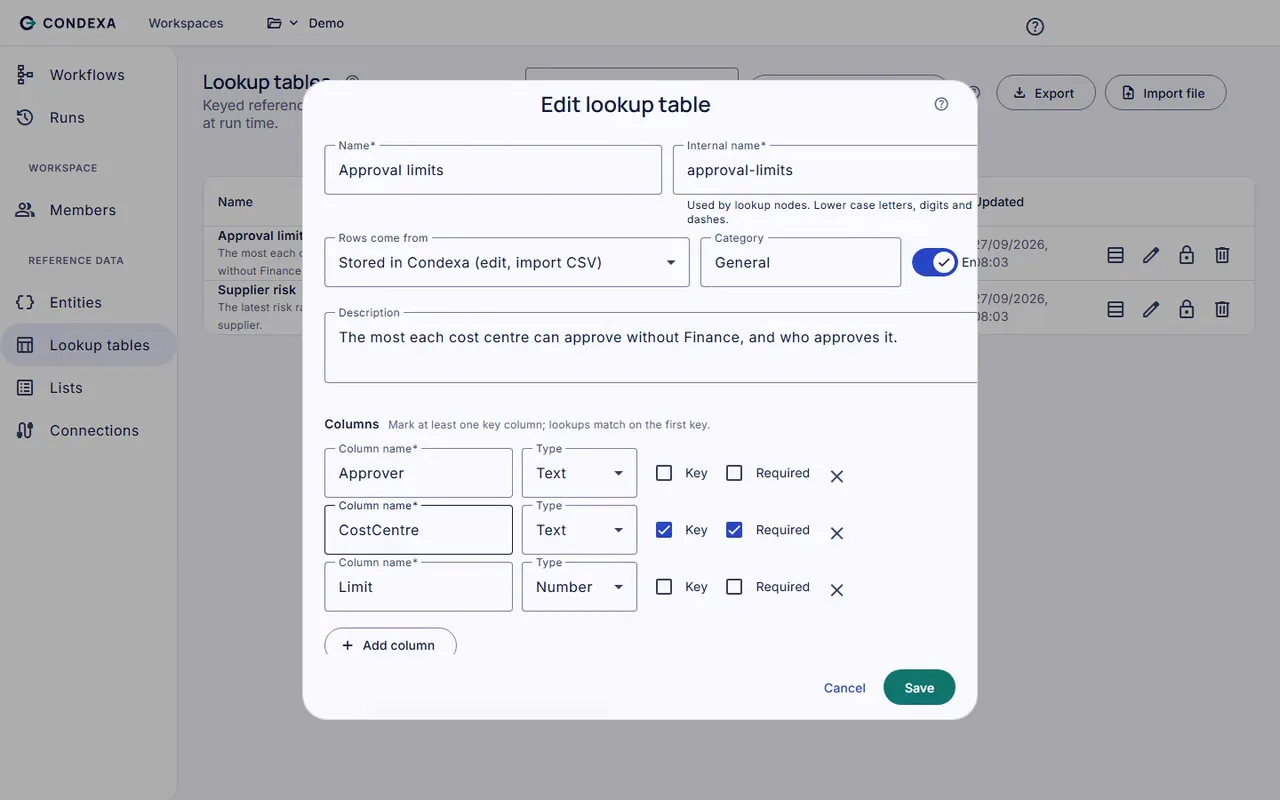
- Limits sit in lookup tables, some reading straight from your Dataverse tables.
- You test with example records and read a step-by-step trace.
- Every call is kept in run history with its inputs, outputs and trace.
How you get there
How Condexa works with Dynamics 365 and Dataverse
- 1
Connect to Dataverse
Add a Dataverse connection using OAuth client credentials for an application user. The secret is encrypted and never shown again, and you can point one connection at test and another at live.
- 2
Use live Dataverse tables in your decisions
Lookup tables can read directly from a Dataverse table, so your approval limits, account tiers or product categories stay where they already live. Build the decision on a canvas and test it with real records.
- 3
Call it from anywhere in the Power Platform
Power Automate, Power Apps and Dynamics 365 plug-ins call the Active version over a REST API with an API key. The answer comes back as JSON, ready to route, block or update.
A worked example
Worked example: does this opportunity need director approval?
A salesperson moves a Dynamics 365 opportunity worth 64,000 GBP to Propose with a 12% discount. A Power Automate flow asks Condexa before the quote is sent.
The rules, in plain English
- R1Read the account's tier from the Dataverse account table.
- R2Look up the discount limit for that tier and the salesperson's role.
- R3If the discount is over the limit, or the value is over 50,000 GBP with any discount above 8%, the sales director must approve.
- R4Otherwise, the quote can go.
Condexa answers
Director approval needed. The account is Tier 2, where the salesperson's limit is 10%. The 12% discount is over that, and the deal is also over 50,000 GBP with more than 8% off. The flow creates the approval and the reasons go with it.
Side by side
Dataverse business rules vs Condexa
| Aspect | Dataverse business rules | Condexa |
|---|---|---|
| Where the logic runs | Mainly on model-driven forms, with some actions also running at table level | As a decision service any form, flow, canvas app, plug-in or outside system can call |
| Data it can use | Columns on the table the rule belongs to | The record you send, plus lookup tables, lists, live Dataverse tables and SQL Server |
| Logic | If/else conditions with a set list of actions such as set value, lock, require or show an error | Steps for lookups, database lookups, list checks, loops over lines, counters, validations and rule execution |
| Reuse across apps | Tied to one table, so the logic is rebuilt in flows and apps that need it | Written once and called by every app that needs the answer |
| Testing | Open a form and try it by hand | Run with your own example values and read a step-by-step trace |
| Explaining past outcomes | No record of which rule fired for a given record | Run history keeps every call with its inputs, outputs and trace |
| Changing a rule | Edit and reactivate in the maker portal, then move it through your solutions | Edit a draft, test it, publish a new version; earlier versions are kept |
| Best for | Simple form behaviour: show, hide, default and require fields | Business decisions: approvals, limits, eligibility and checks used in more than one place |
FAQ
Questions people ask
What are the limitations of Dataverse business rules?
Dataverse business rules are designed mainly for form behaviour on a single table. They support simple conditions and a fixed set of actions, cannot look up data from other tables or loop over related records, are not reusable across apps and flows, and give you no trace of why a rule fired. They are great for simple form logic, but not for complex business decisions.
Is there a rules engine for Dynamics 365?
Yes. Condexa is a rules engine that works alongside Dynamics 365 and Dataverse. You build decisions on a visual canvas, read live Dataverse tables through a Dataverse connection, and call the decision from Power Automate, Power Apps or plug-ins over a REST API.
How does Condexa connect to Dataverse?
Through a Dataverse connection that uses OAuth client credentials, typically for an application user in your environment. Secrets are encrypted and never shown again after you save them. You can create separate connections for test and live environments.
Should business logic go in a plug-in, a Power Automate flow or a rules engine?
A useful split is: a rules engine decides, a flow or plug-in acts. Keep the decision (who approves, is this eligible, what limit applies) in Condexa, where the business can change and test it. Let Power Automate or a plug-in carry out the result, such as creating an approval or updating a record.
Can we call Condexa from a canvas app in Power Apps?
Yes. A canvas app can call Condexa through Power Automate or a custom connector to its REST API, send the values from the screen and show the answer. The same decision serves your model-driven apps and flows too.
Do we still need Dataverse business rules?
For simple form behaviour, such as showing a field or making it required, they are still a good fit. Move logic to Condexa when it needs data from elsewhere, is used in more than one place, changes often or has to be explained later.
Keep exploring
Related decisions and guides
Compare
Condexa vs Power Automate
Nested conditions in your approval flow are getting out of hand. Let Power Automate move the work and Condexa decide.
Read moreUse cases
Purchase order approval
Stop chasing sign-off by email. Encode your delegation of authority once and let the ERP know who must approve every PO.
Read moreFeatures
Lookup tables
Every limit change is a dev ticket? Put thresholds and bands in tables your business team edits and publishes.
Read moreIntegrations
REST API
Your app needs an answer, not another rules module to maintain. Send the facts, get the decision back as JSON.
Read moreProblems
Rule changes need developers
Waiting weeks for IT to change one threshold? Let the people who own the policy change it themselves, safely.
Read moreGive your Dynamics 365 decisions one home you can test and trust
Bring a decision your team makes every week. We will build it with you, live, test it against your own examples and show your systems calling it.
No slides. Your decision, built live. No obligation.