
How Condexa works
Build, test, publish and call your business decisions
Six steps from a rule someone carries in their head to an answer every system can ask for, with the reasons attached. Every screen below is a real recording.
Step 1 - Start from your data
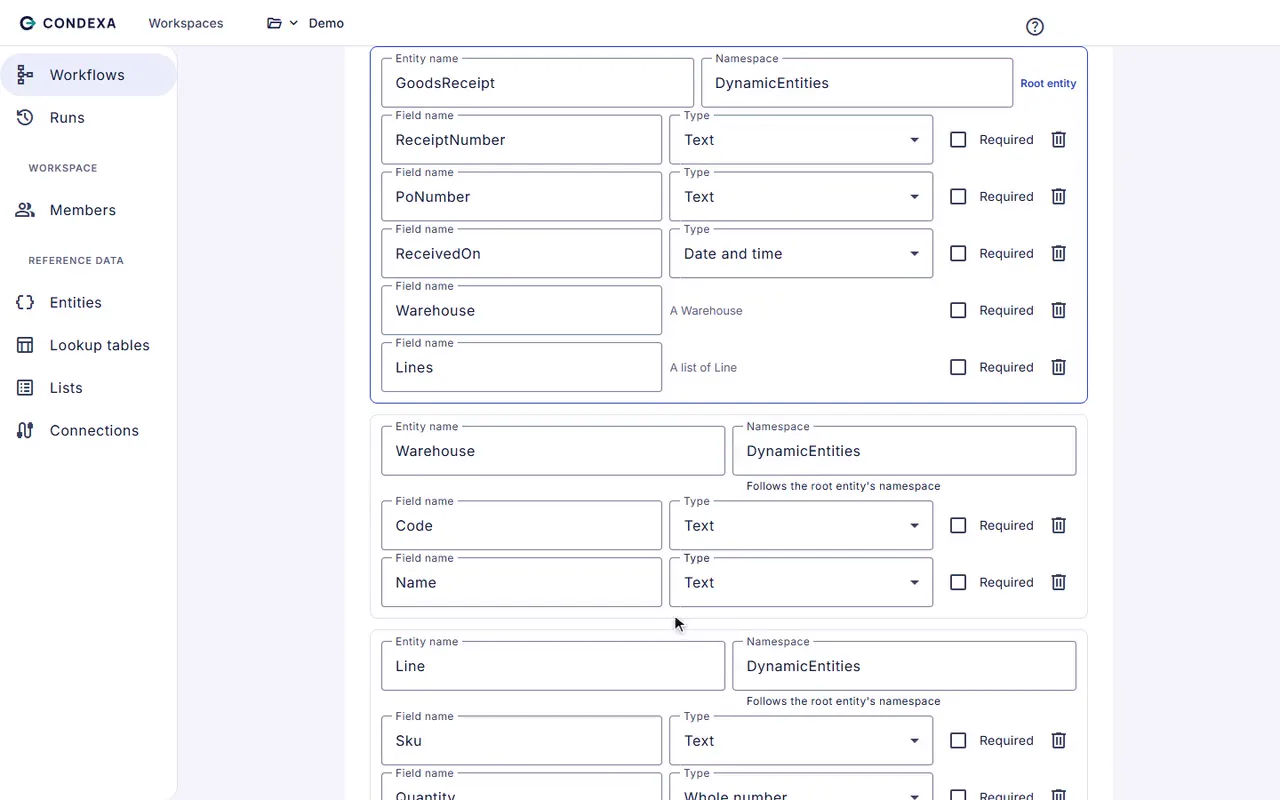
Paste an example record. Get a working starting point.
Most decisions are about a record you already have: an order, a customer, a supplier. Paste an example from your ERP or CRM and Condexa builds its shape and a first workflow for you.
- No data modelling project
- Works with nested records such as an order with its lines
- Or use simple named inputs and outputs
Step 2 - Write the decision down
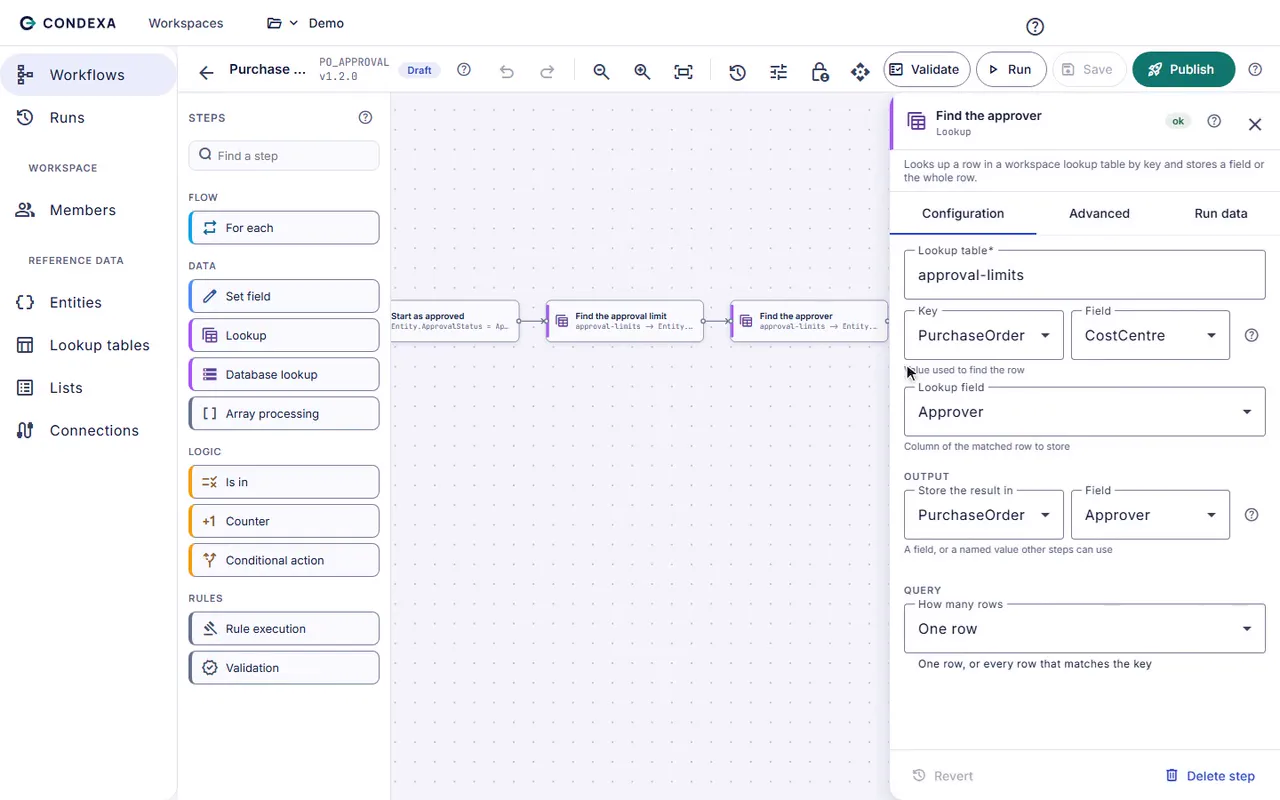
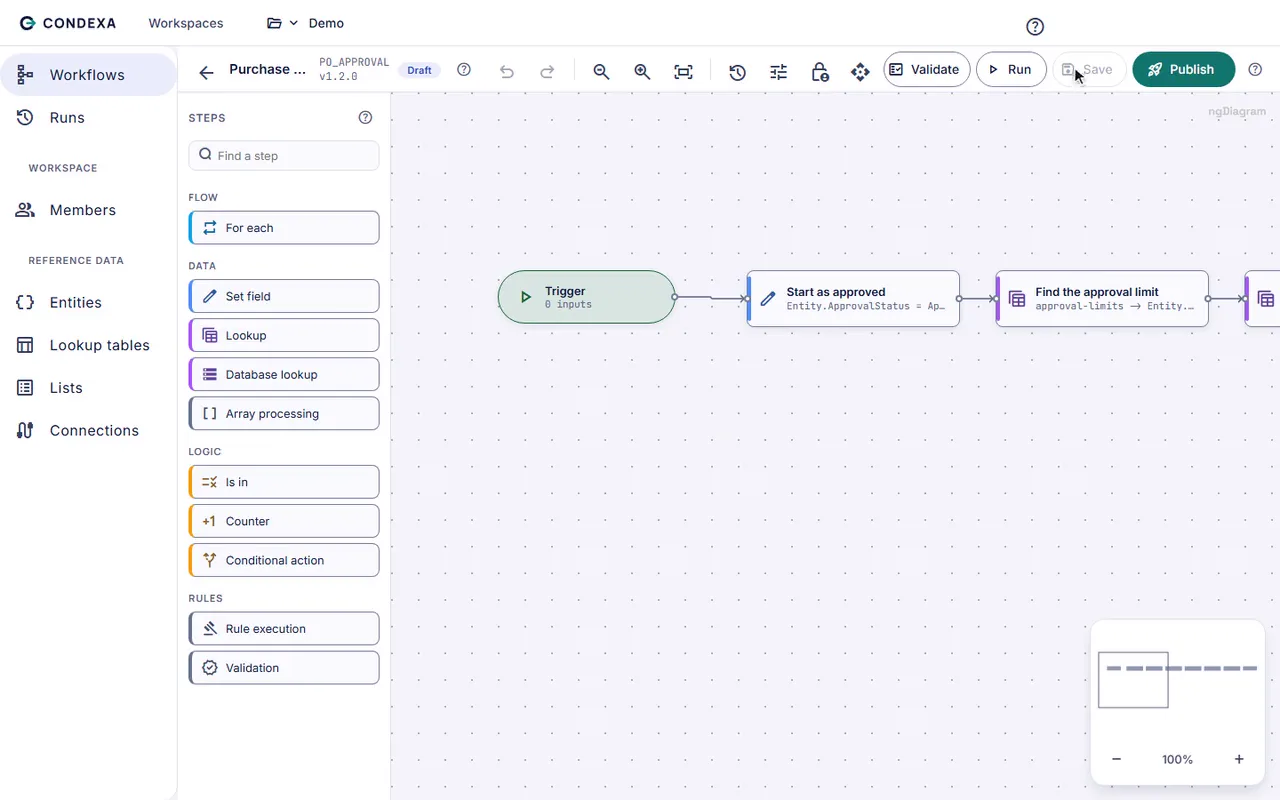
Lay out the steps on a canvas, in plain English.
Look up the approval limit. Check the supplier against the restricted list. Compare the total. Route to the right approver. Each step is a box you can read, not a line of code only a developer can change.
- Lookups, lists, comparisons, loops and validations
- Reads from SQL Server and Dataverse when it needs to
- The workflow is the documentation
Step 3 - Keep the numbers where the business can reach them
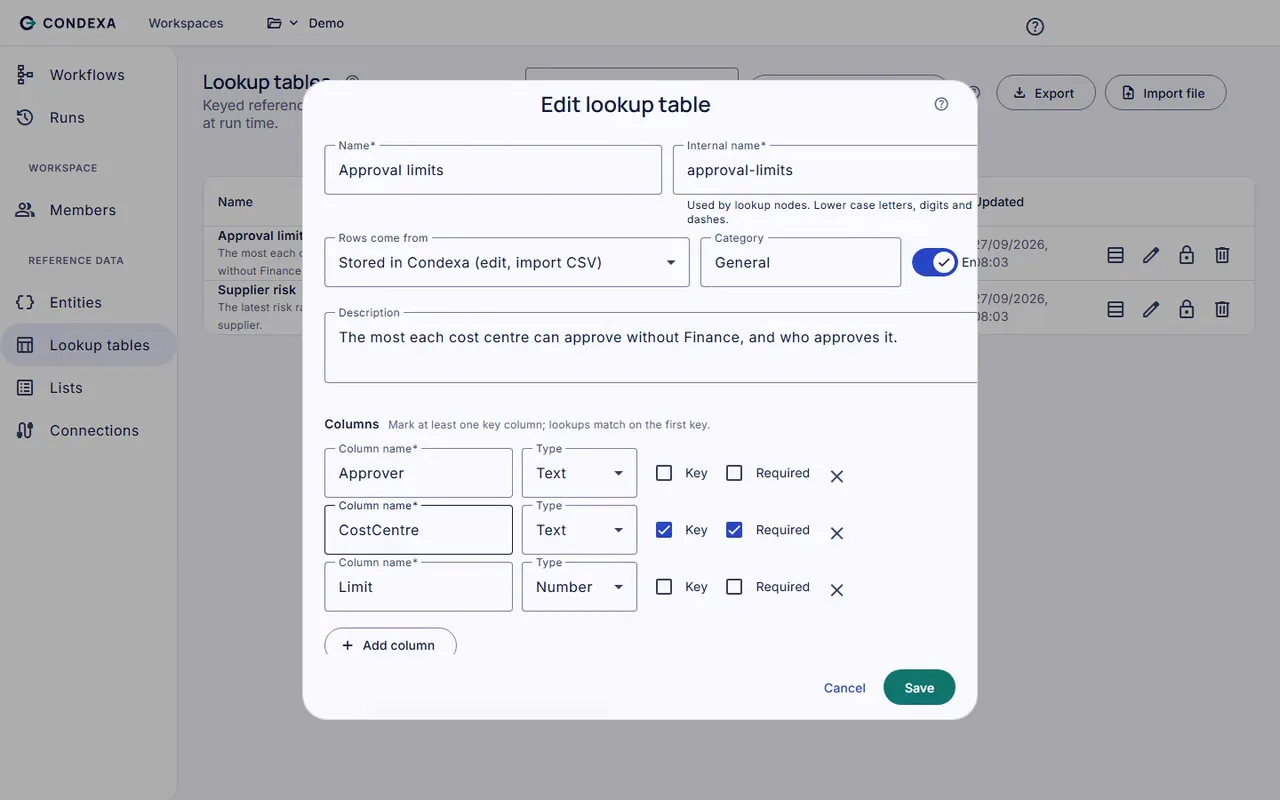
Limits, bands and lists your team owns.
The values that change most often live in lookup tables and lists, not in the logic. Finance moves a limit, operations adds a country to a list, and nothing else needs touching.
- Rows stored in Condexa, a SQL Server table or live from Dataverse
- Import and export as files
- Changes are versioned like everything else
Step 4 - Prove it
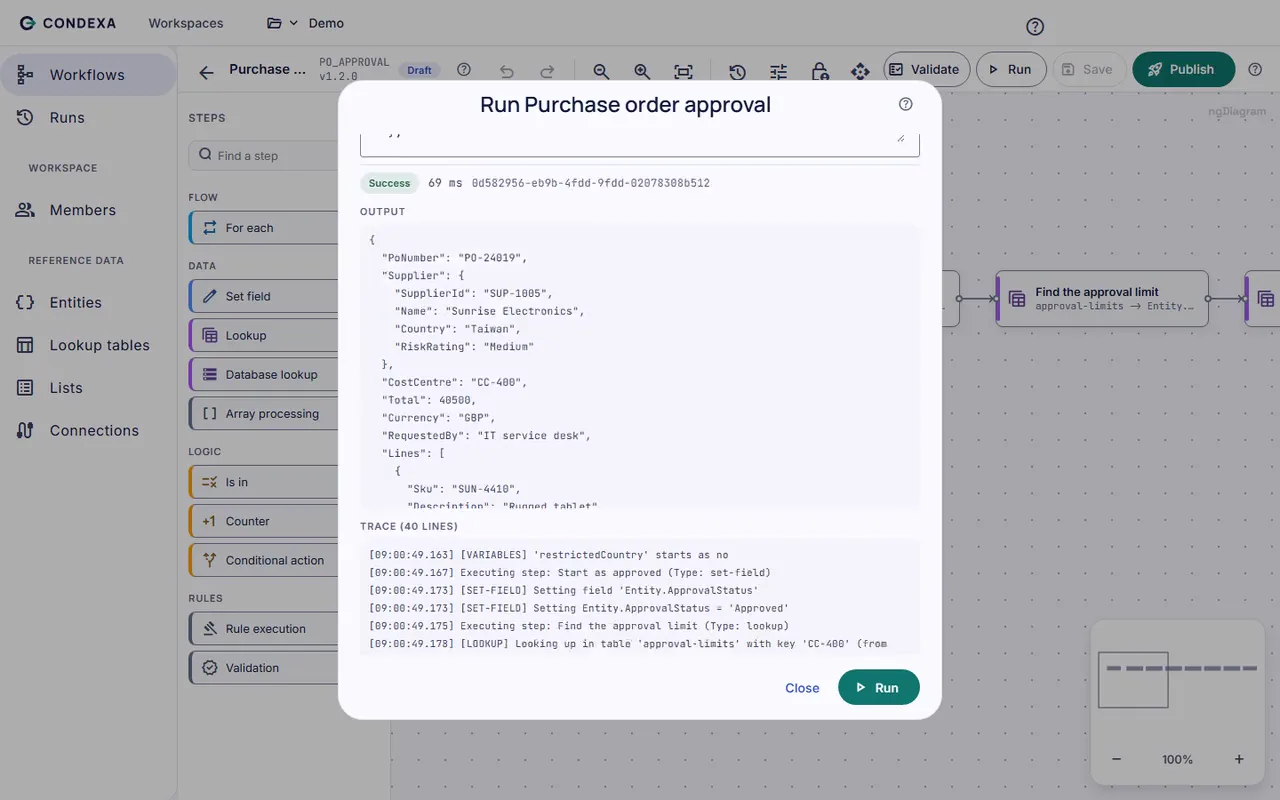
Test with your own examples and see exactly why.
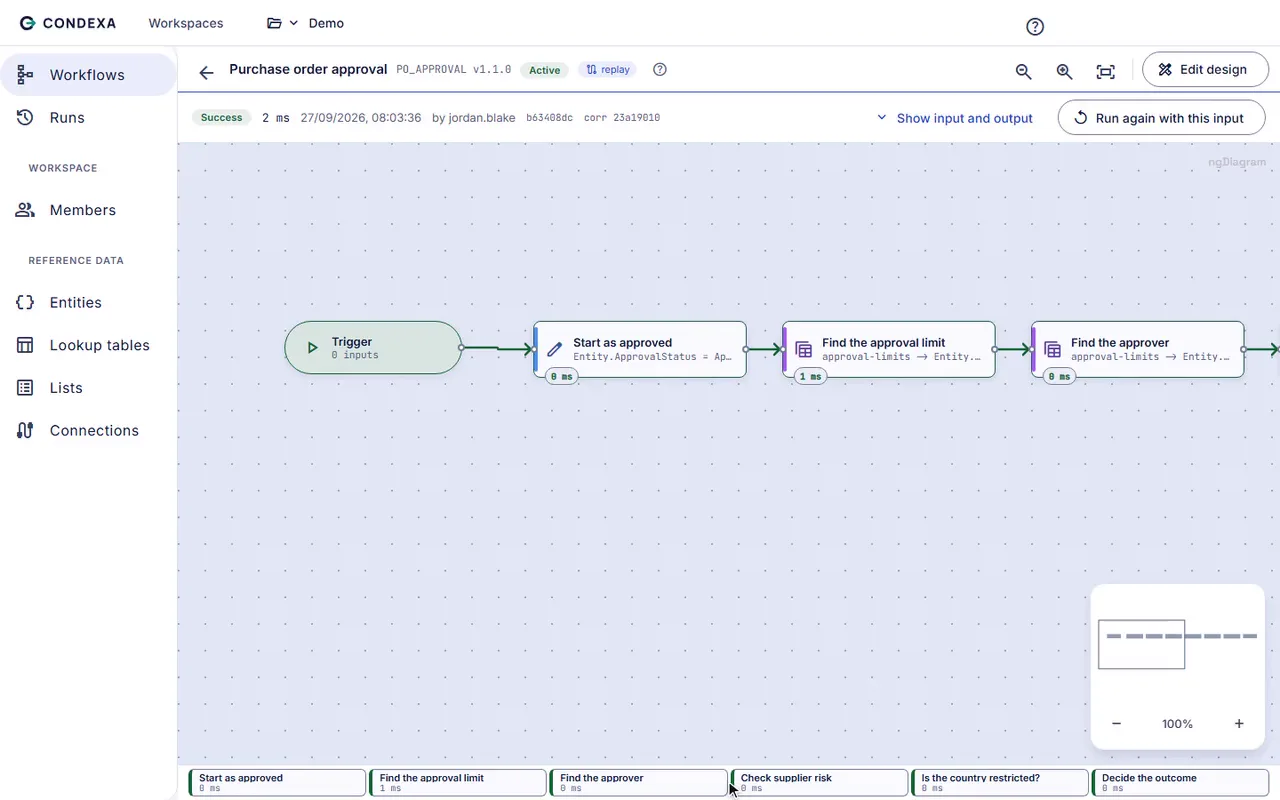
Run the decision with real cases before anyone relies on it. The trace shows every step, every lookup and every value, with timings, so a surprising answer explains itself.
- Test the awkward cases first
- Read the trace instead of guessing
- Fix it before it reaches a customer
Step 5 - Publish when you are ready
Change a rule today, safely.
Publish a new version when it passes your tests. The previous versions are kept, so going back is one click, and a workflow can be switched off if it ever needs to be.
- Draft, Active and Inactive versions
- Role-based permissions on who can publish
- No release, no deployment window
Step 6 - Let every system ask
One API call. One clear answer. Every time recorded.
Your ERP, CRM, Dynamics 365, Power Automate and in-house apps call the Active version over a simple REST API with their own API key. Every call is recorded with its inputs, answer and trace.
- JSON in, JSON out, in milliseconds
- An API key per named application
- Run history answers 'why did it say that?' months later
Ready to see one of your own decisions go through these six steps?
Bring a decision your team makes every week. We will build it with you, live, test it against your own examples and show your systems calling it.
No slides. Your decision, built live. No obligation.